
Benchmark High-View YouTube Videos — Story Research
Videos that do well have a reason
📌 The screens in this post are UI mockups built from a real project's data and the app's own CSS. The values in them (scenes, segments, prompts) are the actual output. The project itself ran in Korean; the story text shown here is an English translation of that output — the numbers, timings, and prompts are unchanged.
A video that blows up isn't luck — it's structure: a hook in the first 0–15 seconds, an arc that holds tension, an ending that pulls you to the next one. Story mode's 1 Research step pulls exactly that structure out of reference videos so you can transplant it into your own story.
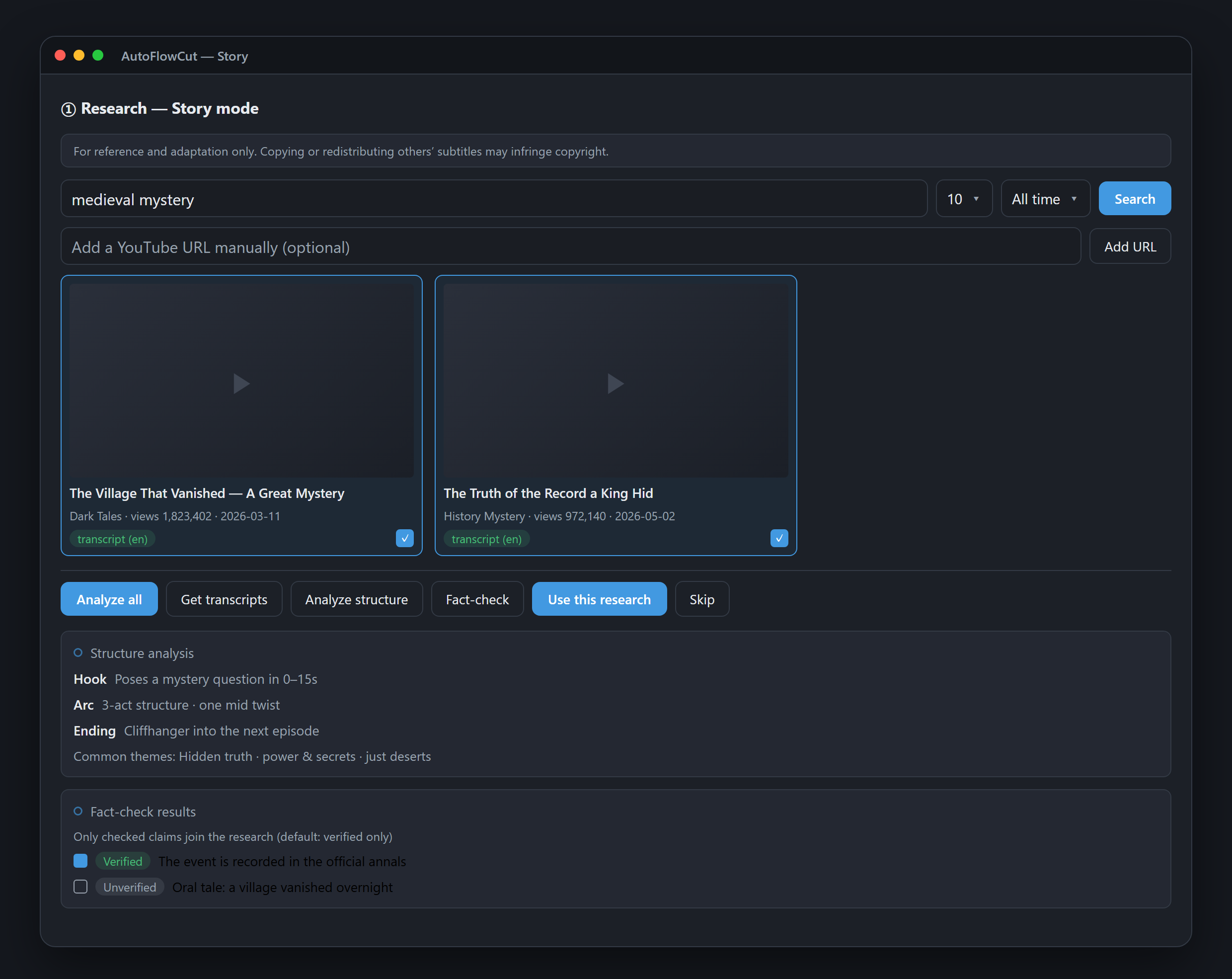
Research finds reference videos by keyword, analyzes their structure (hook, arc, ending), and shows a viral score for the standouts. You start from data about what actually works, not a gut feeling.
What the Research step does
- Keyword search — finds reference YouTube videos by the keywords of your topic. (You can even confirm research with keywords alone, before a title exists.)
- Structure analysis — breaks down each video's skeleton: the hook, the 3-act arc, twists, the cliffhanger ending.
- Viral score — prioritizes which videos to benchmark, based on views and engagement.
- Fact-check — cross-checks the core claims you'll build the story on, preventing a script whose facts don't hold up.
Research → Synopsis → Script
Research is an optional gate sitting after Setup and before Synopsis. The structure analysis and fact-checked claims you confirm here become raw material for 2 Synopsis, which in turn feeds 3 Script.
It doesn't flow through on its own, though — the [use research context] checkbox in the Synopsis gate is the only path, and it's off by default. Leave it off and nothing from Research reaches your synopsis or script.

So the "grammar of videos that work" is baked into the synopsis and script from the very start. Instead of writing a script blind and then wondering why nobody watched, you build the story on top of a proven structure.
💡 Research and Synopsis are gate tabs, not run steps. Both are active on projects that start from a title; on a project where you pasted a script, only Research locks — Synopsis stays open so you can confirm the cast.
From there, business as usual
Once Research sets the direction, the rest matches the title-only flow — Synopsis → Script → Scene split → Audio → Prompts, then export to CapCut, Premiere, or Vrew in one click.
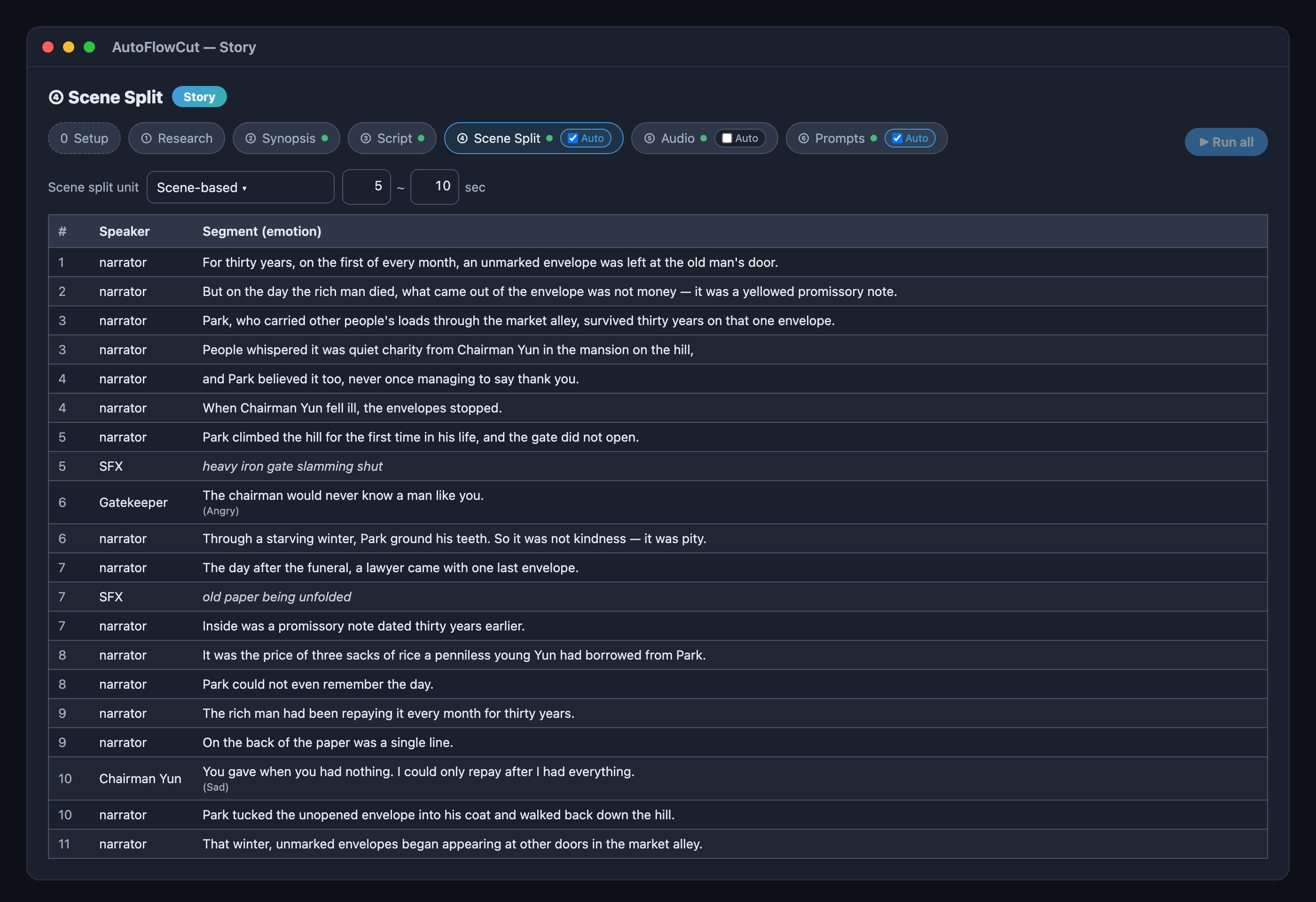
The structure you pulled from research becomes visible here. The Scene split table shows exactly how the hook broke into timed segments and where the sound effects landed.
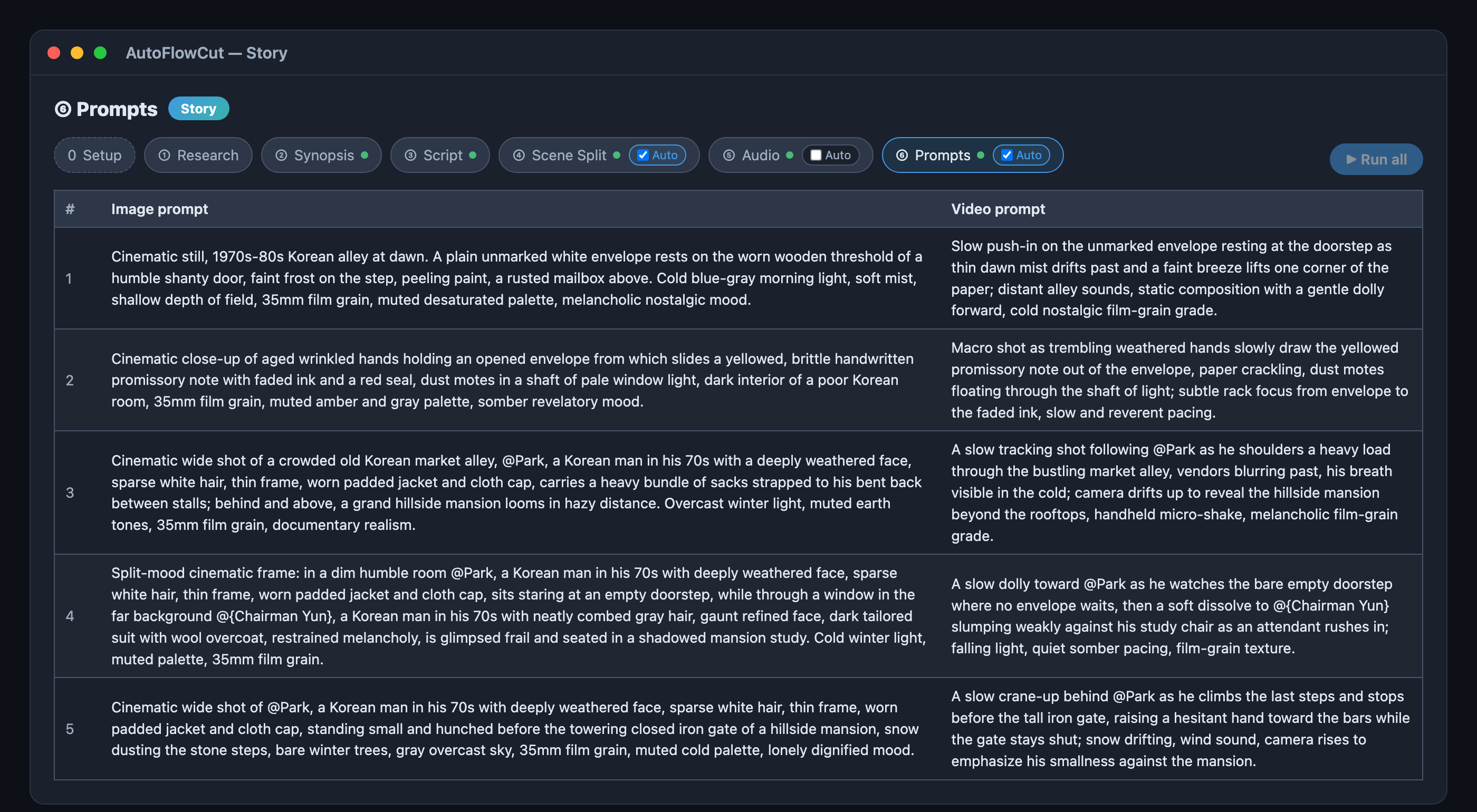
Then step 6 turns each scene into a real image and video prompt.
In short
Benchmarking isn't copying — it's learning the structure. Story mode's Research step analyzes a reference video's hook, arc, and ending and verifies its claims, and once you tick [use research context] in the Synopsis gate, that grammar carries into your synopsis and script.
To see how one episode actually turns out, output and all, read From one title to 11 scenes — a real run. Already have a topic or a script? Jump straight to starting from a title or pasting a script. For a step-by-step reference, see the Story mode guide.