Bulk-generate AI images and videos two ways — sign in with Google Flow (free on a low-cost subscription) or bring your own Gemini & Veo API key — then export complete projects for CapCut, Adobe Premiere Pro, or Vrew with timeline, audio, subtitles, and animations.
AutoFlowCut is a desktop app for the full AI video pipeline, and it starts wherever you do. From a blank page: Story mode writes the script, pulls out a synopsis and characters, splits it into scenes, and generates voiceover and sound effects. From prompts you already have: import TXT, CSV, or SRT. From there it generates images and T2V/I2V clips — via Google Flow login (free on a low-cost subscription) or your own Gemini/Veo API key — and exports everything as a ready-to-edit project for CapCut, Adobe Premiere Pro, or Vrew.
100+
Batch Image Gen
T2V+I2V
AI Video Generation
1-Click
Multi-Editor Export
📖 New in v3.0 · Built into the app
Story Mode — blank page to finished video
Seven tabs carry a story from an empty script to scene prompts, without leaving AutoFlowCut. Tick "auto" on the steps you trust, press "Run all", and the pipeline finishes on its own.
0Setup
①Research
②Synopsis
③Script
④Scene splitauto
⑤Audioauto
⑥Promptsauto
▶ Run all
0
⚙️
Setup
The entry tab, not a pipeline step. Choose the genre, the language, and which AI writes for you.
①
🔍
Research
Search YouTube for your subject, check each video's viral score and details, pull its captions, and let the AI analyze the structure and fact-check the claims. Optional — skip it if you already know your topic.
②
📋
Synopsis
Pull a synopsis and a cast (name, gender, ethnicity, age, role, appearance) straight out of the material. It scores immersion and runs its own review-and-revise loop.
③
✍️
Script
Let Claude or Codex write it — or paste and import your own. Pick a genre, auto-generate a title, and continue writing where you left off.
④
✂️
Scene split
The script splits into scenes by sentence or by duration. Adjust the split unit and the scene length, and re-split whenever you want.
⑤
🎙️
Audio
Assign a Typecast, ElevenLabs, or Gemini voice per speaker, preview voices in the picker, and apply emotion to character lines. Sound effects are pulled out of the script and placed on scenes.
⑥
🖼️
Prompts
Image and video prompts are written for every scene — ready for batch generation with Gemini and Veo, then export to CapCut, Premiere Pro, or Vrew.
⚡Auto toggles + "Run all"
Scene split, audio, and prompts each carry an "auto" toggle. Turn on the ones you trust, press "Run all", and the pipeline carries itself to the end — stopping only where you asked to review.
🎭Character references
Characters found in your script register themselves as reference cards, so faces and outfits stay consistent across scenes. Drop one into a scene with an @mention.
Generate with Gemini and Veo two ways, and switch anytime from the top toggle: sign in with Google Flow for free generation on a low-cost subscription (beginner-friendly), or bring your own Gemini/Veo API key for faster, pay-as-you-go bulk work.
🖼️
Flow Login Mode
Just sign in with a Google account — no API key. Free generation on a low-cost subscription. Beginner-friendly; generation is slower (30+ min per 100 images).
🎬
API Key Mode (BYOK)
Bring your own Gemini/Veo API key for power users and bulk work. Pay-as-you-go, billed by Google. Fast — about 100 images in ~2-5 minutes.
🆓
Switch Anytime
Toggle between Flow login and API key whenever you want — start free on a low-cost subscription, scale up to fast API generation when you need it.
Pick a generation mode — Flow login or your own API key — then either write a script in Story mode and let it split into scenes, or import prompts you already have as TXT/CSV/SRT.
2
🖼️
Generate Images
Gemini creates images with consistent style via references.
3
🎬
Generate Videos
Veo creates T2V or I2V videos for selected scenes.
4
✂️
Export Project
One click exports a complete project — for CapCut, Premiere Pro, or Vrew — ready to edit.
Advanced — 9-Wave Pipeline with the story-engine Skill
A separate, external pipeline for Claude Code users who want a fully scripted, gated production run, with AutoFlowCut doing the heavy lifting from the script onward.
ℹ️
This is not the app's built-in Story mode, and you do not need it. Story mode (above) already writes the script, generates voiceover and sound effects, and splits scenes inside AutoFlowCut. Story Mode — blank page to finished video
Story Design
🔍
W1
Story Design
Analyze references and fact-check to identify patterns and strengths, then set the story direction. Branches between new production and rewrite.
Reference video / topicStory design + verified facts
📋
W2
Synopsis + Preflight
Write a 20-chapter Setup–Rising–Climax–Resolution–Hook synopsis, then validate structure, foreshadowing, and suspense before writing.
Story designSynopsis + preflight checklist
Script Writing
✍️
W3User Confirmation
Script Writing + Review
Write the full screenplay in Setup → Rising → Climax → Resolution → Hook order; an AI subagent reviews and revises for up to 5 rounds.
SynopsisReviewed script
Production
📦
W4
Production Extract
Extract narration lines, dialogue cues, and SFX markers from the finalized script.
Approved scriptNarration / dialogue / SFX list
🎙️
W5
Voice & SFX
Produce narration and sound effects with timecode verification. Since v3.0 AutoFlowCut generates both natively in its Audio step (Typecast · ElevenLabs · Gemini), so the skill can simply hand the script over instead.
Narration / SFX listAudio tracks (MP3 + SRT)
📊
W6
Storyboard CSV
Create references.csv (characters/scenes) and scenes.csv (prompts + subtitles), reviewed via batch QA.
Script + SRTreferences.csv + scenes.csv
Visual & Upload
⚡
W7User ConfirmationAutoFlowCut
Image Production
AutoFlowCut takes over: it splits scenes, writes the prompts, batch-generates reference and scene images/videos, and runs image QA. Handing over a ready-made CSV still works for existing projects.
Script or CSV + referencesImages / videos
🎬
W8
Assembly
SFX scene matching, audio import, and export to CapCut / Premiere Pro / Vrew — assembles an edit project with the Ken Burns effect applied.
Generate SEO-optimized title, description, tags, and thumbnail for YouTube upload.
Final contentUpload config JSON
🚦
Gate System
Each wave transition is enforced by the MCP gate system. Waves cannot be skipped. W3 (Script Writing + Review) and W7 (Image Production) require explicit user approval before proceeding.
Save Time
Hours of Work in Minutes
AutoFlowCut automates the entire content creation pipeline — from prompts to a ready-to-edit project for CapCut, Premiere Pro, or Vrew.
❌
Manual Work
4+ hours
✅
With AutoFlowCut
minutes
100 images
~2-5 min (API mode)
Veo T2V+I2V
video generation
1-Click
multi-editor export
✨ Key Features
Key Features
📖
Story Mode
Write the script with AI (Claude · Codex) or paste your own, research YouTube for a subject, pull out a synopsis and cast, and split scenes automatically — then press "Run all" and let the pipeline finish on its own.
🎙️
AI Voiceover & SFX
Assign a Typecast, ElevenLabs, or Gemini voice per speaker, search and preview voices in the picker, apply emotion to character lines, and let the app extract sound effects from the script and place them on scenes.
🖼️
AI Image Generation
Batch generate 100+ images with Gemini — via Flow login or your own API key. In API mode about 100 images finish in ~2-5 minutes, while reference tags keep characters, backgrounds, and styles consistent.
🎬
AI Video Generation
Generate videos from text prompts (T2V) or animate existing images (I2V) with Veo. Choose the best result per scene for export.
✂️
One-Click Multi-Editor Export
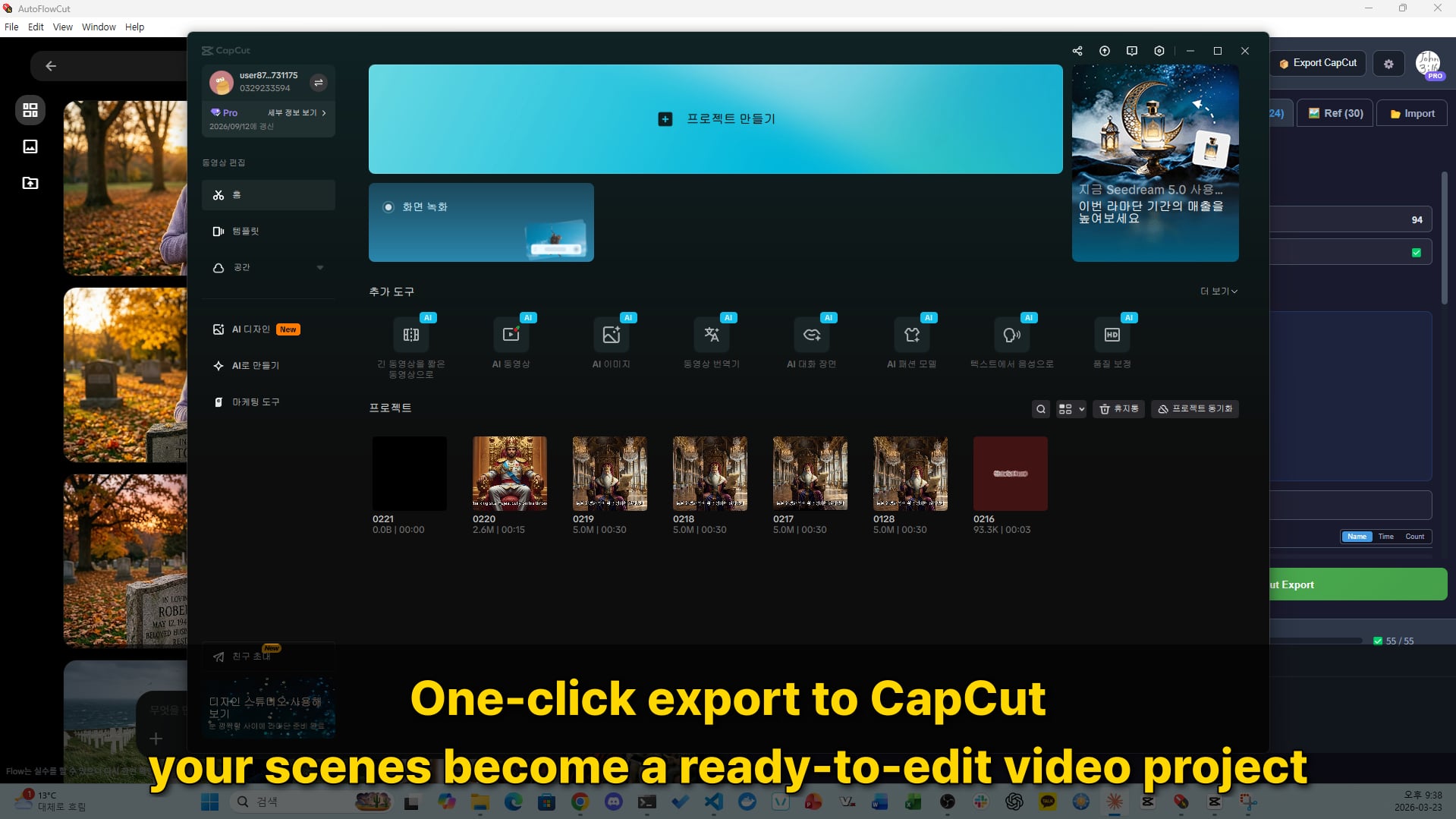
Export a complete project — for CapCut, Adobe Premiere Pro (.prproj), or Vrew (.vrew) — with timeline, media, audio, subtitles, and Ken Burns animations. Supports both image and video scenes.
🎯
Smart Media Selection
Choose between image, T2V video, or I2V video per scene. Duration auto-adjusts to match the selected media.
🔄
Audio Timeline
Story mode generates narration per speaker and pulls sound effects out of the script automatically — and you can still import your own timecoded audio. Everything is matched to scenes and placed on separate tracks in the exported project.
💻
Open Source (AGPL v3)
AutoFlowCut is open source under AGPL v3. Inspect the code, self-host, or contribute on GitHub.
🎬 AI Video Generation
AI Video Generation
Automatically generate videos from text or images with Veo
📝
T2V — Text to Video
Generate videos directly from text prompts with Veo. Describe your scene and receive a moving clip.
Transform your AI-generated images into animated videos with Veo. Preserve the character, background, and style of the original image while adding natural motion.
↓Input: AI-generated image
↑Output: Animated video
★Use case: Image animation, character motion, background effects
Image→Veo→Video
🎯
Smart Media Selection
Choose the best result per scene — image, T2V, or I2V. Default priority: I2V → T2V → Image. Your selection is automatically applied on export to CapCut, Premiere Pro, or Vrew.
I2V→T2V→Image
⚡ AutoFlowCut vs Whisk2CapCut
AutoFlowCut vs Whisk2CapCut
Built on the same foundation, now with dual generation modes and multi-editor export
⚠️
Google Whisk was discontinued on April 30, 2026. Whisk2CapCut can no longer generate new images through Whisk. We recommend migrating to AutoFlowCut.
Feature
Whisk2CapCut
AutoFlowCutNEW
AI Engine
Google Whisk
Flow login or Gemini + Veo API
Image Generation
✅
✅
Video Generation (T2V / I2V)
❌
✅ T2V + I2V
Story Mode (AI script writing)
❌
✅ Claude / Codex
Built-in Voiceover (TTS)
❌
✅ Typecast / ElevenLabs / Gemini
Sound Effects from the Script
❌
✅
Multi-Editor Export (CapCut / Premiere / Vrew)
✅ CapCut
✅ CapCut / Premiere / Vrew
Per-Scene Media Selection
❌
✅
Ken Burns
✅
✅
👥 Who Is This For?
Who Is This For?
🎭
Faceless YouTube Creators
Automate the entire AI image + video pipeline into CapCut, Premiere Pro, or Vrew for narration and slideshow channels.
📖
AI Story & Bedtime Story Channels
Keep character consistency with references, generate videos for key scenes, export everything to CapCut, Premiere Pro, or Vrew.
📱
Shorts, Reels & TikTok Creators
Quickly turn AI-generated scenes into short-form video projects with mixed image and video content.
🎓
Educators & Course Creators
Turn scripts or subtitles into illustrated video lessons with AI images and animated video scenes.
🚀 Detailed How-To
Complete in 5 Steps
01
📝
Enter Prompts & Set References
Import scene prompts from TXT, CSV, SRT files and match character/background/style references by tags.
02
🖼️
Batch Generate AI Images
Gemini auto-generates 100+ images with consistent style using references — via Flow login or your own API key. Auto-retry on errors included.
03
🎬
Generate AI Videos (T2V / I2V)
Use Veo to generate Text-to-Video (T2V) or Image-to-Video (I2V) for selected scenes. Choose the optimal media per scene.
04
🎯
Select Media & Edit Scenes
Select export media from image, T2V, I2V in the scene list. Duration auto-adjusts and subtitles are editable.
05
✂️
Export Project (CapCut / Premiere / Vrew)
One click exports a complete project — for CapCut, Premiere Pro, or Vrew — with timeline, media, subtitles, and Ken Burns animations. Start editing immediately!
📂Input Formats
Flexible Input Options
Import your content from multiple formats. Each format is automatically parsed into scenes.
📝Text Prompts
One prompt per line. The simplest way to get started.
A young scholar reading under a pine tree, Joseon era
A merchant crossing a stone bridge at dawn
Two warriors facing each other in a bamboo forest
📊Scene CSV
Structured data with columns: prompt, subtitle, characters, scene_tag, style_tag, duration.
prompt,subtitle,characters,scene_tag,duration
"Scholar reading under pine","한 선비가 소나무 아래서...",scholar,reading_scene,5
💬SRT Subtitles
Standard subtitle format with timing. Auto-converts to scenes with start/end times.
1
00:00:00,000 --> 00:00:05,000
한 선비가 소나무 아래에서 책을 읽고 있었다.
🧠Or build the CSV yourself
Story mode already writes the script and splits it into scenes inside the app — this is the manual alternative. If you would rather prepare scene data outside AutoFlowCut, ask Claude, ChatGPT, or Gemini for a CSV using the prompt template below, then import it.
v3.1.0 rebuilds the audio stage of Story mode: every provider key in one place, per-speaker regeneration, and consistent Gemini TTS voices — plus 20+ fixes.
Unified API-key settings
Gemini, Typecast, ElevenLabs, and Google TTS keys live in one Settings tab, and the key you need is entered right where audio generation asks for it.
Per-speaker force-regenerate
Right-click a speaker to regenerate all of that speaker's lines with a new voice.
Consistent Gemini TTS voices
A per-voice seed keeps the same speaker sounding the same from line to line, and short-text and emotion 400 errors are fixed.
Live token usage
Token usage rises live during generation, per Claude or Codex engine.
Progressive prompt streaming
The prompt step streams its output live as ghost text.
Mentions with spaces
Use `@{name}` to mention character names that contain spaces.
Recent Releases
The 3.x line. On an earlier 3.x build? Update to 3.1.0.
v3.0.4
Non-Korean accounts, Windows subtitles, big projects
Flow character mentions work on any account language, error messages follow your app language, Windows .srt files import correctly, and very long projects no longer freeze.
v3.0.2
Privacy and generation reliability fixes
Strips the sign-in token, API key, prompts, and character names from error reports, and fixes the v3.0.0 generation failures and related stability issues.
v3.0.0
Story mode introduced
Write a script and finish a video without leaving the app — Story mode, per-speaker TTS and sound effects, and the first Intel Mac build.
Older Releases and Removed Legacy Binaries
v2.1.0 and earlier, plus the legacy Flow-era builds that are no longer distributed.
Show older releases
Preview master controls and Flow @mention
v2.1.0
The last 2.x release — preview-monitor master mute/volume
Fixes for @mention (character) video generation
The immediate base for v3.x Story mode
Dual generation modes and multi-editor export
v2.0.0
Flow login (free) or your own Gemini/Veo API key (BYOK), switchable from the top toggle
Adobe Premiere Pro (.prproj) and Vrew (.vrew) export added alongside CapCut
Export points you to the editor download page when it is not installed
@mention references and faster batches
v1.1.0
@mention in prompts attaches reference images inline, with Korean particle handling
Separate image/video concurrency limits and no more random start delays
Default image model upgraded to Nano Banana 2
Official Gemini/Veo API migration
v1.0.0
Replaced Flow web automation with a direct connection to the Google Gemini/Veo API
Timeline video preview with separate I2V / T2V lanes
I2V and T2V exported as separate CapCut tracks in a single pass
Legacy binaries were removed
v0.9.15 and earlier
Earlier versions depended on the Google Flow web workflow.
Because Google Flow access is now blocked or changed, those binaries were removed.
For new installs or reinstalls, use v1.0.0 or later with the Gemini/Veo API workflow.
Simple Pricing
Free forever, upgrade only when you need more
Free
5 exports per month + 5 signup-bonus exports
$0
5 project exports per month (auto-renews on the 1st)
Purchase and subscription are handled inside the AutoFlowCut desktop app.
Feature Comparison
Feature
Free
$0
Pro (Monthly)
$9.99/mo
Pro (Yearly)
$99.99/yr
17% OFF
Gemini & Veo Image & Video Generation
Flow or API key
Flow or API key
Flow or API key
Multi-Editor Export
5/month + 5 bonus
Unlimited
Unlimited
T2V / I2V Video Generation
Ken Burns Effect + Auto Subtitle
Priority Support
Price
$0
Free forever
$9.99
/month
$99.99
/year
$8.33/month (17% OFF)
💚 Open Source · AGPL v3
Contribute & Earn
AutoFlowCut is open source, and we reward community contributions.
🐞
Fix a bug → usage credits
Find a bug, fix it, and open a PR. Once reviewed and merged, you receive usage credits sized to the impact — from a minimum of 10 generations up to 1 year of unlimited use.
🔌
Revenue-model plugins → merged
Built a plugin that adds a revenue model? Open a PR. We review and merge well-built, secure plugins that fit the project, and work out the details with you.
All contributions are accepted under AGPL v3. Reward amounts are granted at the maintainer's discretion based on quality and impact.
AutoFlowCut is designed with privacy and transparency as core values.
Privacy & Safety
Google AI Powered
Generates with official Gemini and Veo — via Google Flow login or your own Google AI Studio key.
Local Processing
Your scripts, projects, and exports stay on your device. Generation runs through the providers you choose — Google (Gemini/Veo) for images and video, and Typecast, ElevenLabs, or Gemini for voice. Packaged builds also send anonymous crash and error reports; since v3.0.2 sign-in tokens, API keys, prompts, and character names are stripped out, and file paths have your account name redacted — the rest of the path is kept for diagnostics.
Open Source (AGPL v3)
AutoFlowCut is open source under AGPL v3. Inspect the code, self-host, or contribute on GitHub.
Transparent Pricing
The app is free and open source. Flow login offers free generation on a low-cost subscription; API mode is billed by Google to your own key. Export Pro is optional.
Trust Badges
Local Projects
Projects and exports stay on your device — anonymous error reports strip tokens, keys, prompts and names
Open Source (AGPL v3)
Source available — inspect and contribute on GitHub
Transparent Pricing
Free app · Flow login (low-cost subscription) or your own API key
💬 FAQ
Frequently Asked Questions
Everything you need to know about AutoFlowCut
QWhat AI model does AutoFlowCut use?
Several, depending on the step. Images and video come from Google Gemini and Veo — either through a Google Flow login (free on a low-cost subscription, beginner-friendly) or with your own Gemini/Veo API key (pay-as-you-go, faster); switch anytime from the top toggle. In Story mode, scripts and synopses are written with Claude or Codex, and voiceover is generated with Typecast, ElevenLabs, or Gemini — picked per speaker.
QHow is it different from Whisk2CapCut?
Whisk2CapCut used Google Whisk and browser automation for image-first workflows. AutoFlowCut offers dual generation modes (Flow login or Gemini/Veo API), T2V and I2V video generation, audio timeline support, and exports complete projects for CapCut, Premiere Pro, or Vrew.
QDo I need a Google API key?
Not necessarily. In Flow Login mode you just sign in with a Google account — no API key needed. In API Key mode you bring your own Gemini/Veo key for faster, pay-as-you-go generation. Choose whichever fits you and switch anytime.
QWhat file formats are supported for input?
You can import scene prompts from TXT (one per line), CSV (structured data with columns), and SRT (subtitle files with timing) — each is parsed into scenes automatically. You can also start with no file at all: in Story mode you write or generate the script inside the app and it splits into scenes for you.
QWhich editors can I export to?
Export a complete project to CapCut, Adobe Premiere Pro (.prproj), or Vrew (.vrew). Each includes timeline, media files, subtitles, and Ken Burns animations — ready to edit immediately.
QIs AutoFlowCut free?
AutoFlowCut is free to download and open source (AGPL v3). Flow Login mode offers free generation on a low-cost subscription; API Key mode is pay-as-you-go, billed by Google to your own key. Export has a free monthly allowance with an optional Pro plan for unlimited exports.
QCan AutoFlowCut write the script for me?
Yes — that is Story mode, new in v3.0. It takes you from a blank page to a finished project without leaving the app: Setup, Research, Synopsis, Script, Scene split, Audio, Prompts. The AI can write the script (Claude or Codex) or you can paste and import your own; characters found in the script register themselves as reference cards. Turn on "auto" for the steps you trust, press "Run all", and the pipeline carries itself to the end.
QDoes AutoFlowCut generate voiceover and sound effects?
Yes. In the Audio step you assign a voice per speaker from Typecast, ElevenLabs, or Gemini — search and preview voices in the picker, apply emotion to character lines (never the narrator), and get a separate narration track per speaker. Sound effects are pulled out of the script automatically, placed on scenes, and can be auditioned one at a time.
QWhich macOS build should I download?
On Apple Silicon (M1 and later) download the arm64 DMG; on an Intel Mac download the x64 DMG. Both are attached to every GitHub release from v3.0.0 onward. If you are unsure which Mac you have, open the Apple menu and choose "About This Mac" to see the chip.
🎥
Ready to Automate Your Workflow?
Download the desktop app or review the release notes.